
Project calendar
The field operations calendar for what is happening on site
FieldScout gives superintendents, safety teams, and MEP leaders a practical operations calendar for deliveries, inspections, permits, high-risk work, readiness tasks, and field follow-up.



Direct answer
What is construction project calendar software?
Construction project calendar software helps field teams see the operational work happening across a jobsite. FieldScout focuses on the daily and weekly activity that supports field execution: inspections, permit windows, deliveries, high-risk work, equipment readiness, tamper seal follow-up, and MEP milestones.
Calendar gaps on busy jobsites
Master schedules rarely show the delivery, inspection, permit, and readiness details field crews need today.
Separate calendars leave safety, logistics, and MEP teams with different versions of the same week.
A delivery can be approved without the inspection, permit, or receiving crew being ready.
Field changes are hard to trace when the calendar is disconnected from forms and equipment records.
Not a CPM replacement
FieldScout does not replace Primavera, MS Project, or the contractual critical path schedule. It complements those tools with a practical field operations calendar for the work that needs visibility today, this week, and across active work zones.
Workflow
Keep field operations visible by day, trade, zone, and workflow
FieldScout turns field coordination into a repeatable sequence with status, ownership, and audit history attached.
Create calendar items for inspections, permits, deliveries, high-risk work, readiness tasks, and follow-up.
Filter the view by day, week, month, trade, zone, equipment, or workflow type.
Connect each calendar item to the underlying form, equipment record, permit, delivery, or issue.
Update status from the field as work is completed, blocked, or moved.
Review the history of schedule changes and completed work during coordination meetings.
Modules
Calendar views and field activity
Each module is built for field teams that need fast entry, clear status, and reliable records.
Day view
See what needs attention today across inspections, deliveries, permits, and readiness.
Week view
Coordinate near-term work windows without opening the master schedule.
Month view
Spot upcoming clusters of inspections, deliveries, permits, and turnover milestones.
Trade view
Filter activity by contractor or discipline to simplify field coordination.
Zone view
See work by gate, route, floor, room, laydown area, or restricted zone.
Equipment view
Track readiness tasks, inspections, seal follow-up, and blockers around critical assets.
Permit windows
Keep high-risk work approvals visible while the work is active.
Delivery calendar
Show approved delivery windows next to the jobsite constraints that affect them.
Field example
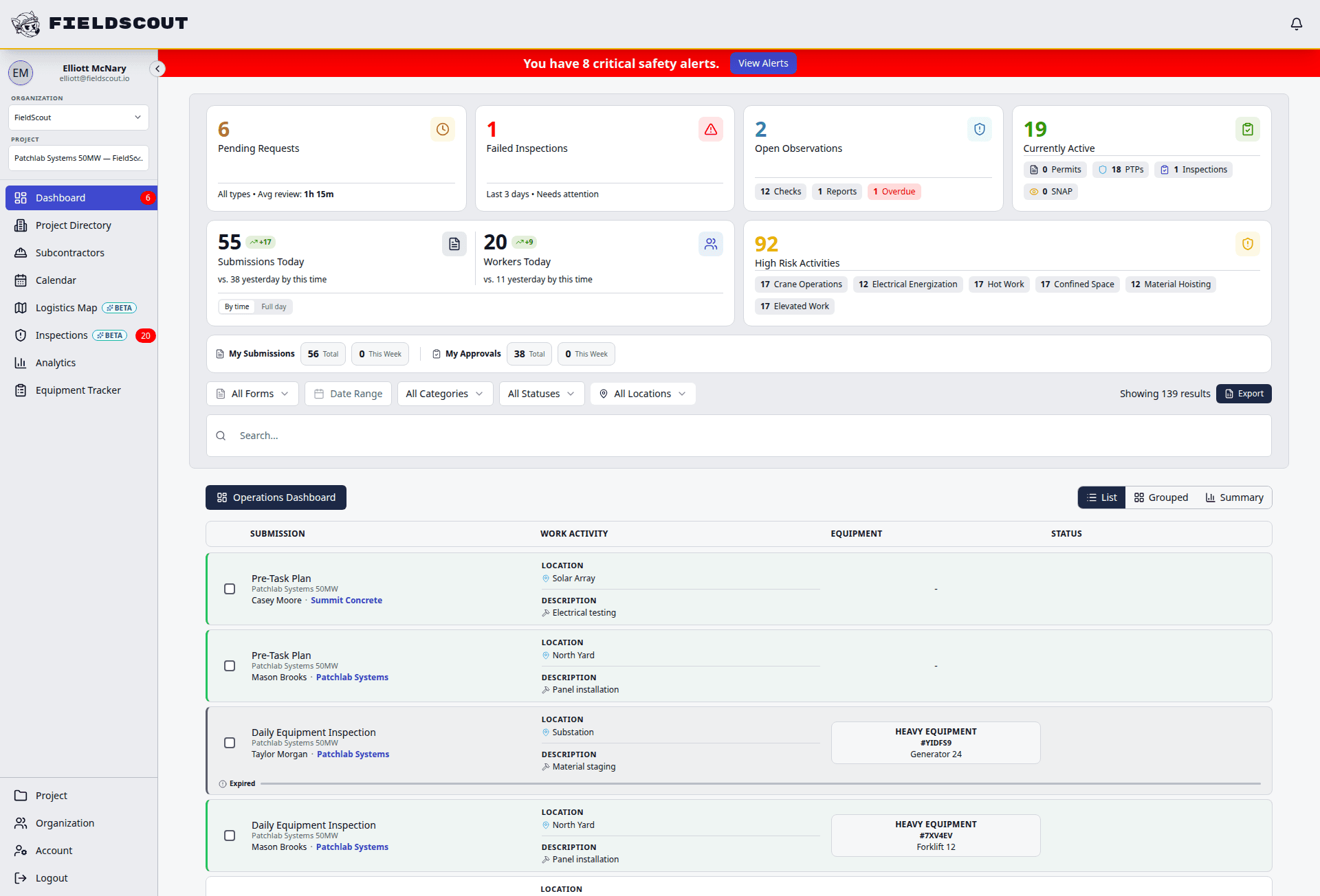
What belongs on a field operations calendar
FieldScout keeps the calendar focused on the operational work that changes the day in the field.
Compare
FieldScout vs CPM schedules and shared calendars
| Workflow | FieldScout | CPM or shared calendar |
|---|---|---|
| Purpose | Coordinates daily and weekly operations activity tied to field workflows. | CPM schedules manage contractual sequencing; shared calendars show times but not context. |
| Field records | Links calendar items to forms, permits, deliveries, equipment, and issues. | Events often stand alone and require manual follow-up elsewhere. |
| Views | Filters by trade, zone, equipment, workflow, and status. | Generic calendars are usually person- or event-based. |
| Auditability | Stores status changes and completion history with the underlying work. | Teams reconstruct what happened from meeting notes or messages. |
FAQ
Common questions
Does FieldScout replace Primavera or MS Project?
No. FieldScout is a field operations calendar, not a critical path scheduling platform.
Can the calendar show permits and inspections?
Yes. FieldScout can show scheduled inspections, active permit windows, high-risk work, and required follow-up alongside deliveries and readiness tasks.
Can teams filter by trade or zone?
Yes. Teams can filter field activity by trade, zone, equipment, workflow type, and status.
Can calendar activity connect to equipment readiness?
Yes. Equipment inspections, readiness tasks, delivery windows, seal follow-up, and issue resolution can all appear as operational work.
Related FieldScout pages
Keep exploring the connected workflows
Get a walkthrough
See the operations calendar in context
Walk through how FieldScout keeps deliveries, inspections, permits, zones, and equipment readiness visible to the field.