
Delivery management
Construction delivery management software connected to the jobsite
FieldScout helps site teams manage what arrives, when it arrives, where it enters, who receives it, and what field workflow must happen next.



Direct answer
What is construction delivery management software?
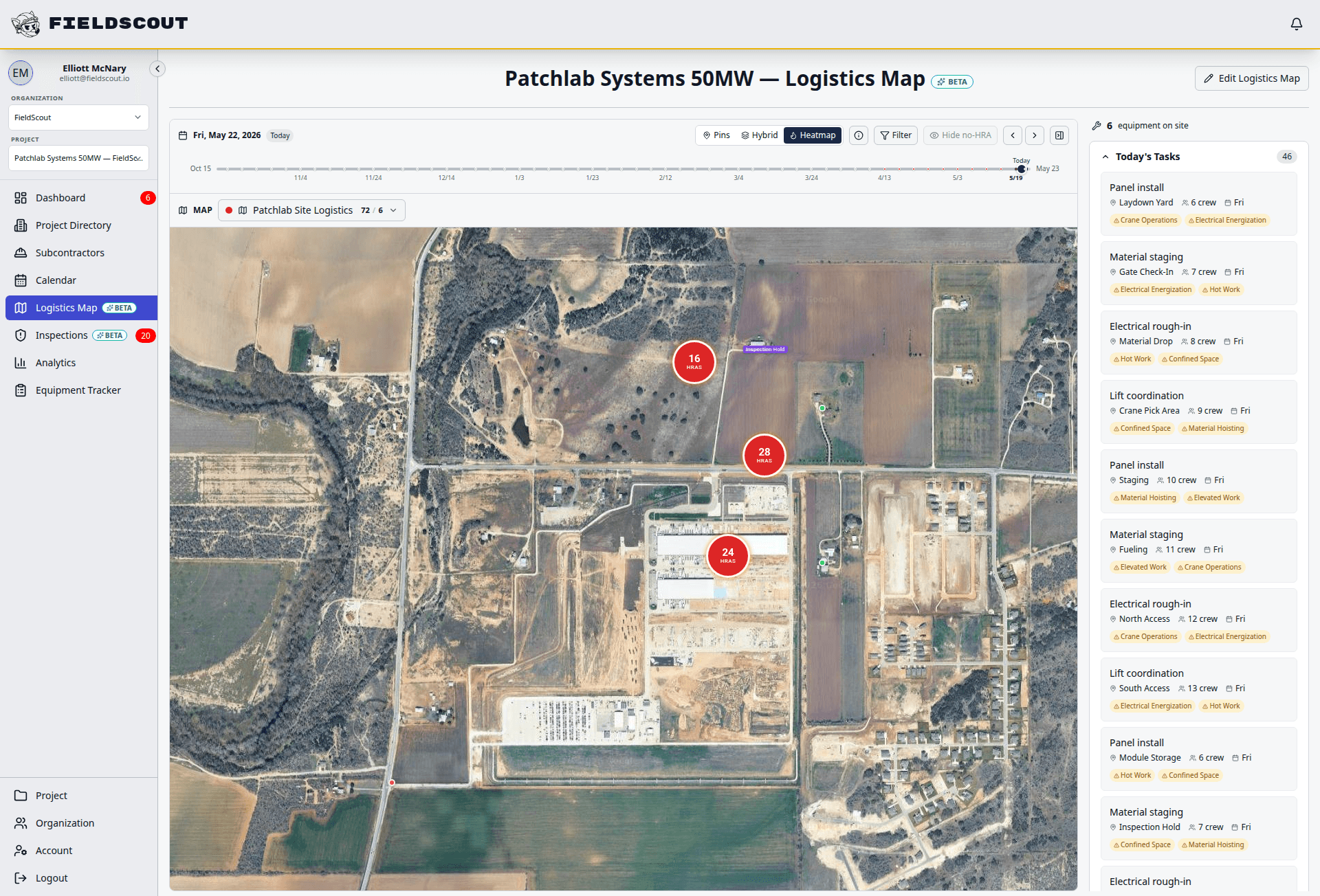
Construction delivery management software coordinates material and equipment deliveries around jobsite constraints. FieldScout connects delivery windows, gate rules, offloading zones, trade communication, equipment readiness, permits, inspections, and audit history so site teams are not managing the day through texts and spreadsheets.
Delivery coordination problems
Delivery windows get requested by text, approved by phone, and forgotten by the time the truck arrives.
Drivers and vendors receive incomplete gate, route, or offloading instructions.
The delivery shows up, but the inspection, permit, lift, or receiving crew is not ready.
Shared calendars do not explain who approved a change or what field workflow it triggered.
Not trucking dispatch software
FieldScout is built for GC and site operations teams. It helps coordinate what is coming to the jobsite and what must happen when it gets there, rather than dispatching trucks across a fleet.
Workflow
Turn delivery requests into coordinated field activity
FieldScout turns field coordination into a repeatable sequence with status, ownership, and audit history attached.
A trade requests a delivery window with material, equipment, vendor, and receiving details.
The superintendent reviews the request and approves or adjusts the slot.
FieldScout assigns gate, route, and offloading zone instructions.
The delivery appears on the operations calendar with crew and vendor instructions.
Arrival is confirmed and the equipment, inspection, permit, or readiness record is updated.
Modules
Delivery management modules
Each module is built for field teams that need fast entry, clear status, and reliable records.
Delivery windows
Review and approve delivery slots with the context needed to avoid conflicts.
Gate instructions
Attach the correct gate, route, access notes, and receiving instructions to each delivery.
Loading zones
Coordinate offloading, staging, laydown, and restricted zones before the truck arrives.
Notifications
Keep trades and receiving teams aligned when delivery details change.
Calendar views
Show approved deliveries next to inspections, permits, high-risk work, and readiness tasks.
Equipment links
Connect delivered equipment to QR records, inspections, issues, and status changes.
Inspection links
Trigger acceptance, damage, readiness, or safety inspections when delivery activity requires them.
Audit trail
Preserve who requested, approved, changed, received, and followed up on each delivery.
Field example
Delivery use cases FieldScout supports
Delivery management becomes more valuable when it is connected to the work, risk, and equipment that the delivery affects.
Compare
FieldScout vs shared calendars, spreadsheets, and supplier tools
| Workflow | FieldScout | Common alternatives |
|---|---|---|
| Request review | Captures the delivery request with trade, vendor, location, equipment, and workflow context. | Shared calendars and spreadsheets usually capture time, but miss the field requirements. |
| Jobsite instructions | Adds gate, route, loading zone, access, and receiving instructions to the delivery. | Supplier dispatch tools may not know the current site constraints. |
| Connected workflows | Links deliveries to equipment readiness, inspections, permits, and issues. | Calendars and spreadsheets rarely update the asset or inspection record automatically. |
| Change history | Preserves approval, reschedule, arrival, and follow-up history. | Teams piece the history together from texts, calls, and email chains. |
FAQ
Common questions
Can FieldScout manage material delivery windows?
Yes. FieldScout can capture delivery requests, assign windows, add gate and route instructions, and keep approved deliveries visible on the project operations calendar.
Can vendors or trades receive instructions?
Yes. FieldScout shares browser-based instructions with trades, receiving crews, and vendors so gate, route, and offload details are not buried in a text thread.
Does FieldScout replace a trucking dispatch system?
No. FieldScout is for jobsite delivery coordination, not carrier dispatch or fleet routing.
Can delivery activity update equipment records?
Yes. Deliveries can be connected to equipment records, inspections, readiness status, issues, and audit history.
Related FieldScout pages
Keep exploring the connected workflows
Get a walkthrough
Coordinate deliveries with the work they affect
See how FieldScout connects delivery windows, gates, routes, equipment records, inspections, permits, and readiness status.